DejaOffice - Productivity Apps for Android, iPhone and iPad

DejaOffice redefines mobile productivity

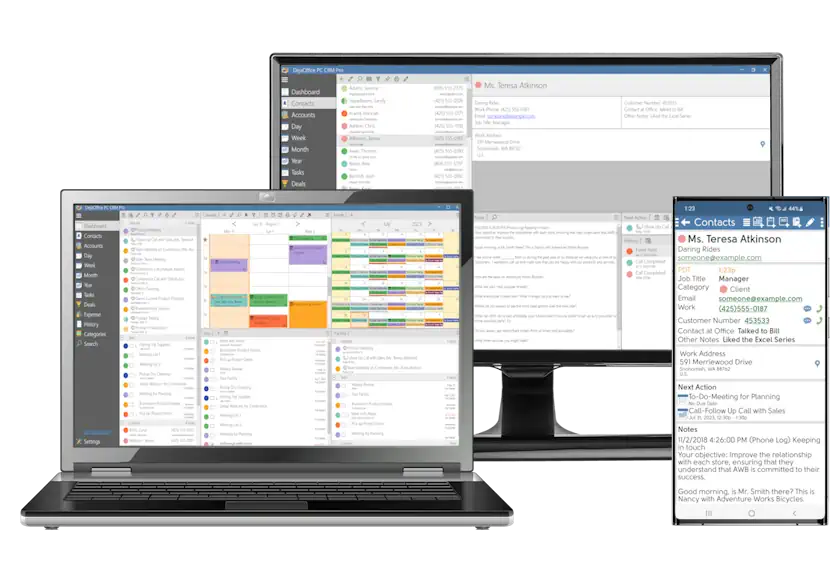
Add business-class Contacts, Calendar, Tasks, Memos, and Expense apps to Android, iPhone, iPad, and iPod Touch devices. DejaOffice turns your device into a powerful business tool.

Sync DejaOffice contacts, calendar, tasks and memos with your PC

Sync with your CRM database

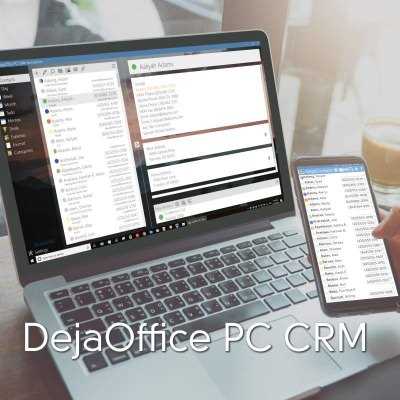
DejaOffice can sync with PC and web-based databases like Microsoft Outlook, Lotus Notes, Salesforce.com, Zoho CRM, Sage ACT!, and many others. You can use CompanionLink sync software (sold separately) to do this. Or, just configure DejaOffice to sync with the onboard Contacts and Calendar. This allows you to use your own sync tool, like Microsoft Exchange or Google, to sync data from your CRM to your device.
View more info on sync options for DejaOffice.

Android contacts app

DejaContacts

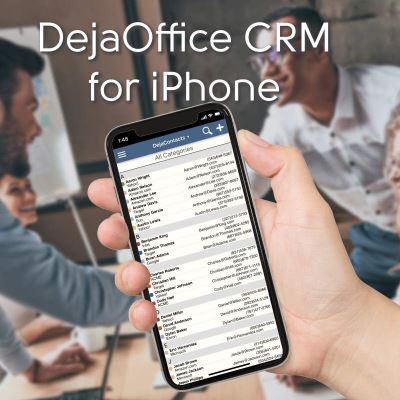
Business professionals need a business-caliber address book app. It delivers advanced features used in the business world. It focuses on reducing the number of taps to get work done.

  • Store up to 40,000 contacts
  • Sort by company name, last name, or first name
  • See company name, email, and phone number as you scroll through the address book (no tapping!)
  • 3 view modes to maximize screen space on your device
  • Search using any field in contact records
  • 9 custom fields
  • Append unlimited notes to each record
  • Supports commonly used Palm, BlackBerry and Microsoft Outlook fields
  • Password-protect key contacts
  • Categorize records with custom labels and colors
Sort and group your contact list

Sort and Grouping

Sort by first, last, or company name. Group by category, company, city, or postal code.

Search contacts by any field

Intelligent Search

Search by any field - first or last name, company, phone, email, and even data in the contact notes field.

Variable font display sizes

Variable font-sizes

Make better use of your device's screen space with three font sizes - Delightful, Business, and Micro.

Color-coded categories match your Outlook contacts

Colors and Categories

Create categories and assign colors to them. Color palette matches Microsoft Outlook.

Integrates with other apps

Works with Native Device Functionality

DejaOffice works with your device's map, email, text message, and phone features. Tap to launch maps, email, phone or text message - all from within DejaContacts.

Schedule calendar events with your contacts

Schedule Appointments, Add Tasks

Schedule calendar events or add tasks from the contact view in DejaContacts. New appointments created are linked to that contact.

Password-protect private records

Private records

Protect sensitive contacts with password-protection or by masking them. Prevents people from seeing data even if your phone is lost.

Custom contact fields

9 Custom Fields

Use custom labels to match specific business needs.

Back to top
More Info
Android calendar app

DejaCalendar

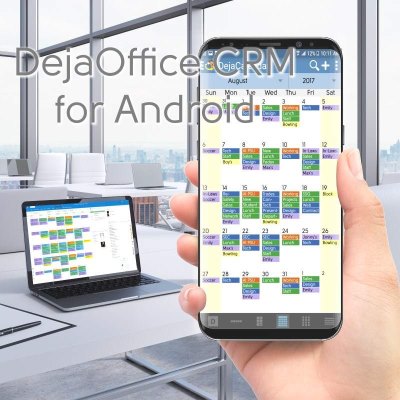
Welcome to a powerful calendar app that manages your professional agenda.

  • Intelligent date-picker fits Start Date, End Date, and Event Time (5-minute increments) in one screen
  • Day, Week, Month, Year and List views
  • Schedule events with advanced recurring patterns
  • Swipe navigation from day to day, month to month, week to week
  • 9 custom fields
  • Set five/seven-day weeks in Week View
  • Week start can be set to Sunday or Monday
  • Tap an empty time slot to quickly add new events
  • Categorize events using colors that match Microsoft Outlook
  • Alarms and push-notifications

5 calendar views

Day, Week, Month, Year and List views.

Calendar app - day view Calendar app - week view Calendar app - month view Calendar app - year view Calendar app - list view
Link calendar events to contacts in your address book

Link contacts to calendar

Link contacts from your address book to calendar events you create in DejaCalendar. Quickly see who meetings are with. Tap to send them an email or text message. Tap their address to map directions.

Custom recurring events

Recurring Events

Create appointments with recurring patterns that fit your agenda.

Less taps to pick date and time

Date & Time picker

Our PalmOS-inspired date and time picker lets you schedule appointments from one screen. No more tapping around.

Calendar is optimized for tablets

Tablet Mode

Make use of the additional screen space your iPad or Android tablet gives you.

Back to top
More Info
Android tasks app

DejaTasks

Robust tasks app works with your task management system of choice. Choose from Franklin Covey, Getting Things Done, Take Back Your Life, or simple Outlook or Palm Desktop task styles.

  • Sort tasks by date, priority, subject, or category
  • Prioritize using Palm (1-5), Outlook (High, Medium, Low), or Franklin Covey (A1-Z99) styles
  • Getting Things Done (GTD) status
  • Automatically roll over past-due tasks to today, so you never forget
  • Password-protect key tasks
  • Categorize tasks using colors that match Microsoft Outlook
  • Alerts and push-notifications
Tasks can be sorted by priority, status or due date

Sort Options

Sort tasks by Priority, Status or Due date.

Supports Palm, Outlook, and Franklin Covey task priority styles

Priority Styles

Prioritize using Palm (1-5), Outlook (High, Medium, Low), or Franklin Covey (A1-Z99) styles.

Overdue tasks can rollover to next day

Rollover Overdue Tasks

Set pending tasks to automatically rollover to the next day.

Task alarm notifications

Alerts and Notifications

Set audible alerts and reminders so you never forget a task (also available for calendar events).

Back to top
More Info
Android notes & memos app

DejaMemos

Memos app provides a secure, sorted, and single resting place for your business notes, summaries, ideas, and musings.

  • Intelligent search parses through titles and text
  • Password-protect key memos
  • Create thousands of notes without any limits on length
  • Categorize memos using colors that match Microsoft Outlook
Android expense app

DejaExpense

Track and categorize every expense. Email reports from your device.

  • Log expenses in 27 categories
  • Save to CSV file format for email
  • Integrated tip calculator
Daily agenda app for Android, iPhone and iPad

DejaToday

A summary view of calendar and tasks for your entire day. Also shows contacts associated with today's events for easy access.

Can be set up as a widget on the home screen of Android devices. Available in two widget sizes - condensed 1x4 strip or full 4x4 strip to fill your widget screen.

Android calendar widgets

Widgets

DejaToday widgets display upcoming calendar and task items. Contacts associated with events are also displayed so you can quickly call, text, email or map directions.

Widgets are available in two sizes - condensed 1x4 strip or full 4x4 strip to fill your screen.

Android homescreen shortcuts

Shortcuts

Add homescreen shortcuts for DejaContacts, DejaCalendar, DejaTasks, DejaMemos, DejaToday, and Sync.

© 2009-2012 by CompanionLink Software, Inc. All Rights Reserved
Apple, iPhone, iPad, and iOS are trademarks of Apple, Inc. Android is a trademark of Google, Inc.