

Sync Data with DejaOffice
.webp)
.webp)
DejaOffice gives you two options to get your data on your device.
- Use the optional CompanionLink desktop application to sync contacts, calendar, tasks, notes, and categories with desktop and web-based business applications like Microsoft Outlook, Act!, GoldMine, Palm Desktop, and IBM (Lotus) Notes.
- Import contacts and calendar data that is in your phone's built-in Contacts and Calendar apps (and thus your Google account).
To begin importing or synchronizing your data to DejaOffice, use the built-in Setup Wizard. Go to Home Screen > Setup Wizard to get started.
CompanionLink is a desktop application that keeps DejaOffice synchronized with popular CRM and contact management tools like Microsoft Outlook, Act!, GoldMine, Palm Desktop, and IBM (Lotus) Notes.
You have four options for secure and direct sync with DejaOffice.
- DejaCloud:(Recommended) secure wireless technology that uses Push Sync to automate the sync process.
- Wi-Fi Sync: sync using your home/office Wi-Fi network (connect mobile device and pc to same network).
- Bluetooth Sync: sync using your phone/pc Bluetooth connection.
- USB Sync: sync using the USB cable.
CompanionLink licenses start at $14.95 per user. Phone technical support is included with the purchase. For help getting started with CompanionLink, please visit www.companionlink.com.
DejaOffice can integrate with the built-in Contacts and Calendar apps. This allows DejaOffice to use contacts and calendar data already present on the device or in your linked Google account.
To enable integration with these built-in Android databases: Go to Home Screen > Settings > Sync Settings.
To enable integration with these built-in Apple databases: go to Home Screen > Settings > Sync Settings.
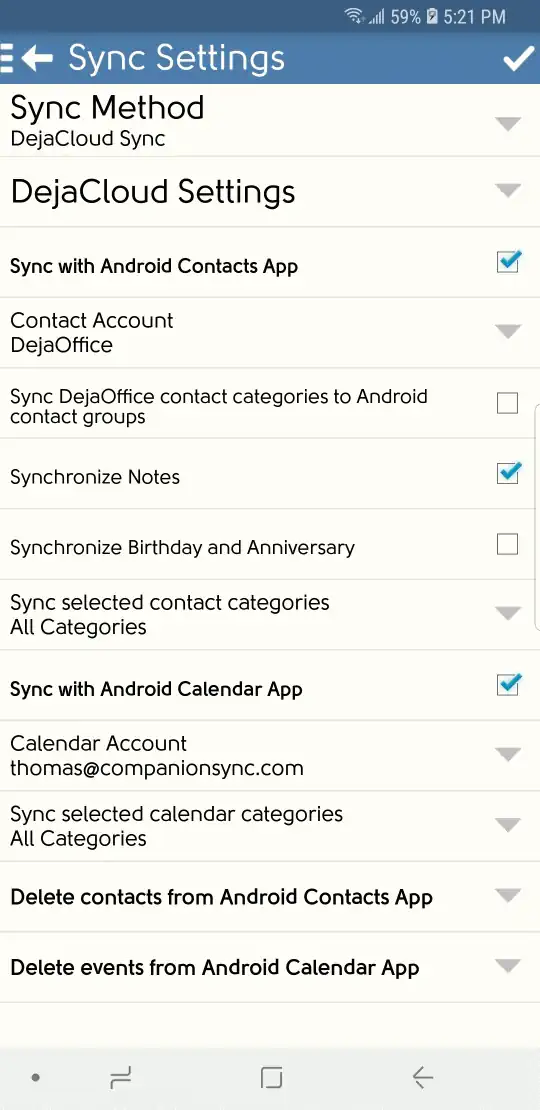
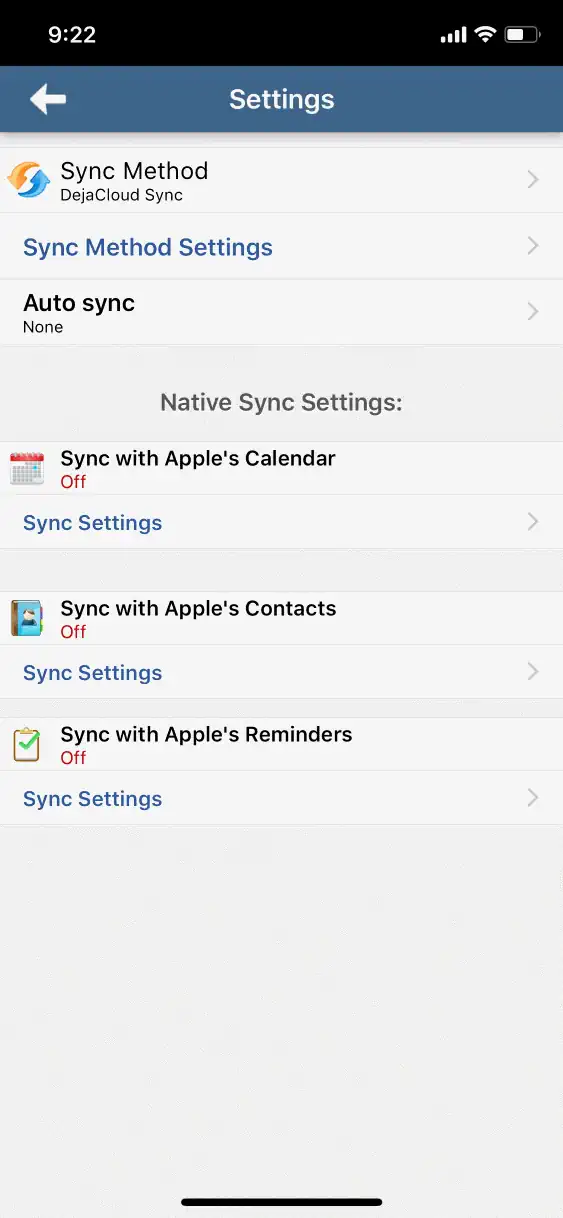
Check the two boxes labeled 'Sync with Android Contacts/Calendar App'. Any changes you make in DejaOffice will show up in the built-in apps.
On Android, DejaOffice creates a special "DejaOffice" account in the built-in apps to hold your data, but you can also choose a different account, such as an Exchange account or a Google account.